Starsand Island Duo Build: Co-op Party Guide
Complete guide to Starsand Island multiplayer and Mac play: 4-player co-op, camp tent sleeping, session setup, Version 1.11.2411 fixes, and crossplay.
Starsand Island supports 4-player online co-op on PC and Mac via Steam. Players can share farm work, explore Moonlit Forest together, and sleep in camp tents. Version 1.11.2411 resolved multiplayer session connection issues. Cross-platform cloud saves work between PC and Mac via Steam Cloud, while crossplay between PC and consoles is not supported.
Starsand Island offers a rich cooperative multiplayer experience alongside its deep solo farming and life simulation campaign. With the official Version 1.0 launch on August 18, 2026, the Mac release on November 10, 2026, and recent hotfixes culminating in Version 1.11.2411 on November 18, 2026, playing with friends across PC and Mac has never been more stable.
This guide details how online co-op works in Starsand Island, from host setup and permission controls to shared dungeon crawling in Moonlit Forest, Mac performance benchmarks, and crossplay limitations.
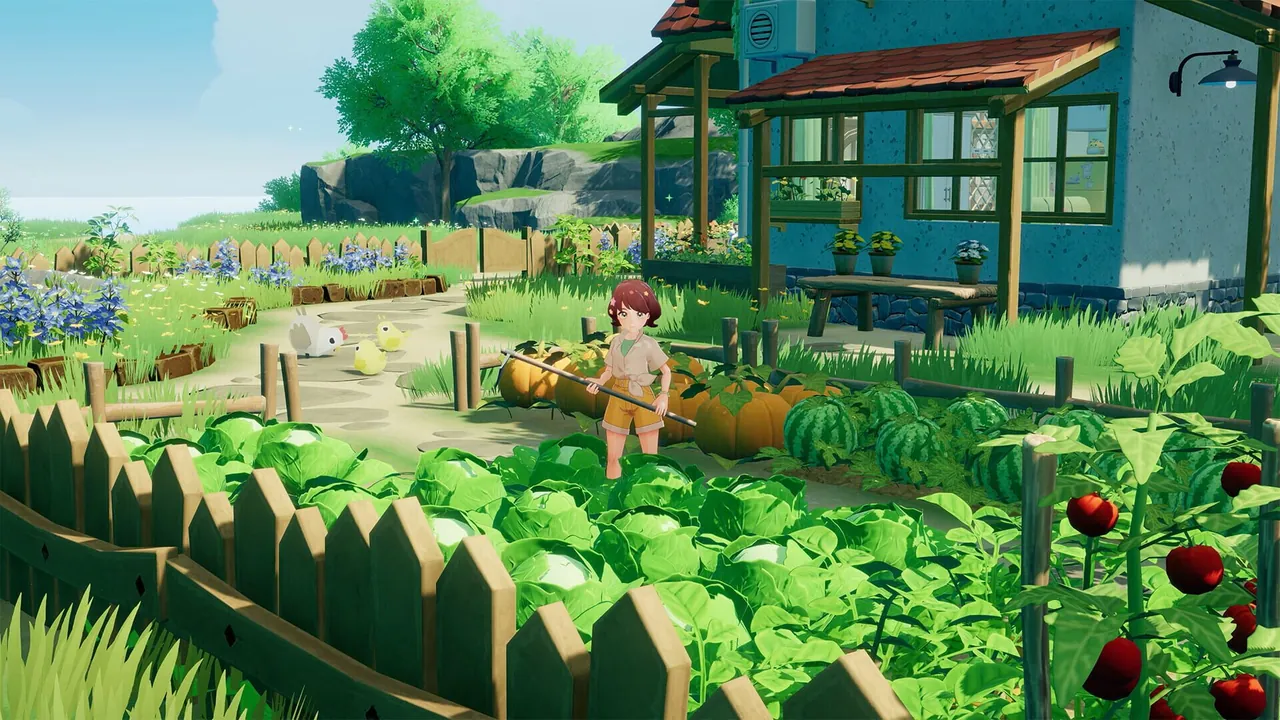
Co-op Multiplayer Overview: How 4-Player Sessions Work
In Starsand Island, multiplayer is designed around host-driven peer sessions. Up to 4 players can occupy the same island world simultaneously.
| Dimension | Specification |
|---|---|
| Maximum Party Size | 4 players (1 host + up to 3 guest islanders) |
| Connection Method | Steam Friends invite or direct session code |
| Supported PC Platforms | Windows (Steam) and macOS (Steam) |
| Cross-Platform Saves | Steam Cloud sync between PC and Mac |
| Dungeon Co-op | Moonlit Forest full multiplayer scaling |
| Latest Connectivity Hotfix | Version 1.11.2411 (18 November 2026) |
When friends join your world, they enter with their custom avatars and personal inventories. Guests can assist with daily farm routines, help clear debris, water crops, fish alongside you in coastal waters, and explore the deeper caverns of Moonlit Forest.
Hosting and Joining an Online Island
Setting up an online session in Starsand Island is straightforward from the main menu or in-game pause interface:
How to Host a Session
- Launch Starsand Island and select Multiplayer from the title screen.
- Choose Host Game and select your desired single-player save file to convert into a host world.
- Configure your world privacy:
- Friends Only: Allows any friend on your Steam friends list to join directly through the Steam overlay.
- Invite Code: Generates a secure session code that friends must enter to connect.
- Set guest interaction permissions to determine whether visitors can place structures, harvest crops, or modify placed blueprints.
How to Join a Friend
- From the title screen, click Multiplayer and choose Join Game.
- If your friend is on Steam, right-click their profile in the Steam overlay and select Join Game.
- Alternatively, click Enter Session Code and input the code provided by the host.
- Confirm your character selection to load into the host’s island farmstead.
Shared Progression and Co-op Dungeon Crawling
Multiplayer in Starsand Island is not limited to passive farm chores. Cooperative play introduces distinctive mechanics that make group exploration both rewarding and efficient:
Co-op Camp Tents in Moonlit Forest
One of the most praised recent quality-of-life additions arrived in Version 1.11.1074 on November 5, 2026. Seed Sparkle Lab overhauled camp tents located throughout the Moonlit Forest:
- Previously, camp tents allowed limited resting, forcing deep-cavern mining parties to abandon their run before midnight to avoid exhaustion.
- Following the update, camp tents allow up to 4 players to enter and sleep simultaneously.
- This enables your team to set up an expedition base camp in mid-tier sectors like Darkwater Shore or Azure Bay, wake up refreshed the next morning, and push deeper toward Abyssal Sectors without returning to Hopeland.
Resource Sharing and Crafting Multipliers
- Tool Progress: Each player maintains their own tool upgrade tier (from basic tools up to the Electric Drill and powered implements).
- Batch Processing: In Version 1.11.1074, the maximum batch production limit for Processing, Crafting, and Separator devices was raised from 99 to 999 items, making large-scale co-op artisan production far more convenient. Handcrafting limits were similarly expanded to 999.
- Crop Cultivation: While Gold Per Day profit margins remain anchored to crop yields, having four players till, plant, and water high-tier crops like Bell Pepper and King Water Chestnut multiplies early-game cash generation exponentially.
Version 1.11.2411 & Recent Multiplayer Fixes
Post-launch updates have steadily ironed out early networking and synchronization bugs:
Version 1.11.2411 (18 November 2026)
- Session Connectivity Fix: Resolved an issue where players were unable to connect to multiplayer sessions under certain network and session conditions. This hotfix is essential for smooth peer-to-peer matchmaking.
Version 1.11.2180 (12 November 2026)
- Aquarium Fish Motion Sync: Fixed a visual desynchronization bug where fish inside placed Aquariums and Fish Ponds appeared frozen and motionless to visiting guest players.
- Quest Milestone Sync: Resolved quest progression halts for Solara and Delphin request lines when triggered during multiplayer sessions.
Version 1.11.1074 (5 November 2026)
- Guest Map Markers: Improved the visibility and tracking of guest direction indicators on the world map, making it simple to locate teammates across large island biomes.
- Shop Day Transitions: Fixed an issue where the bottom action bar would freeze if a shop selling interface closed automatically during the transition to the next in-game day.
Official Mac Release and System Requirements
On November 10, 2026, Seed Sparkle Lab officially launched Starsand Island on macOS via Steam (Version 1.11.2035). Mac players enjoy parity with the Windows PC edition, including native Apple Silicon optimization, full controller support, and cross-platform cloud saves.
| Specification Tier | Minimum Requirements | Recommended Requirements |
|---|---|---|
| Operating System | macOS 12 (Monterey) | macOS 14 (Sonoma) |
| Processor | Apple Silicon M1 (8-core GPU) | Apple Silicon M4 (10-core GPU) |
| Graphics API | Metal 3 required | Metal 3 required |
| System Memory | 8 GB RAM | 16 GB RAM |
| Storage Space | 15 GB available space | 15 GB available space |
| Audio | macOS compatible sound card | macOS compatible sound card |
Thanks to native Metal 3 shaders, M1 and newer Mac systems deliver crisp, stutter-free frame rates across Hopeland and town biomes. Furthermore, Steam Cloud integration ensures that you can start an expedition on a Windows desktop and pick up right where you left off on a MacBook Pro.
Crossplay, Steam Deck, and Console Status
With Starsand Island expanding across multiple ecosystems, understanding cross-play boundaries is crucial:
PC and Mac Crossplay (Supported)
- Players on Windows PC and macOS who own the game on Steam can join each other’s games without restriction. Matchmaking is seamless across operating systems.
Steam Deck Compatibility (Playable)
- While Valve has not yet assigned an official verified badge, Starsand Island runs smoothly on Steam Deck using Proton. The game fully supports Steam Deck gamepad controls, visual scaling, and cloud save synchronization.
Console Crossplay (Not Supported)
- Starsand Island launched digitally on August 18, 2026 across PlayStation 5, Xbox Series X|S, and Nintendo Switch 2, followed by physical retail boxed copies on November 12, 2026.
- However, cross-platform multiplayer between consoles and Steam (PC/Mac) is not supported. Console players can only match with users on the same console family.
Troubleshooting Multiplayer Connectivity
If you or your friends encounter connection issues when attempting to join a session, verify the following steps:
- Verify Game Version: Ensure all party members are running Version 1.11.2411 or later. Mismatched game builds will reject connections automatically.
- Restart Steam Client: In rare cases, the Steam Friends P2P socket may fail to refresh. Completely exiting and restarting the Steam client on both host and client machines resolves most session discovery errors.
- Check Firewall and VPN: Starsand Island relies on standard Steam P2P relay protocols. Ensure third-party firewall software is not blocking UDP ports, and disable active VPN connections if encountering high latency or dropouts.
- Use Session Codes: If Steam Friends direct join does not respond, have the host generate an Invite Code and paste it directly to the joining player.
Related Strategy Guides
To maximize your cooperative adventures on Starsand Island, explore our comprehensive game guides:
- Starsand Island Patch Notes: Full breakdown of Version 1.11.2411, Version 1.11.2180, and the Mac launch.
- Starsand Island Building Guide: Build Mode blueprints, multi-player residence layouts, and property expansions.
- Crop Profit Tier List: Gold Per Day calculations across 115 crops for cooperative farm monetization.
- NPC Gift Guide: Romance schedules, loved items, and Heart Level 5 cohabitation rules.
- Starsand Island Wiki Hub: Complete five-profession progression roadmap, villager biographies, and system hardware specifications.
- NPC gift values, drop tables, and crop growth rates reflect community-documented data for Starsand Island.
- Cross-checked against official community logs, Steam patch updates, and in-game playthroughs.
Frequently Asked Questions
How many players can play Starsand Island together? +
Starsand Island supports up to 4 players in an online co-op multiplayer session. The host opens their island to visiting friends through Steam invites or session lobby codes.
Is Starsand Island crossplay between PC, Mac, and consoles? +
No. While PC and Mac players can play together seamlessly on Steam with shared Steam Cloud progression, cross-platform multiplayer between PC/Mac and console platforms (PS5, Xbox Series X|S, Switch 2) is not currently supported.
What are the official Mac system requirements? +
Minimum requirements require macOS 12 Monterey, Apple Silicon M1 with 8-core GPU, Metal 3, 8 GB RAM, and 15 GB storage. Recommended specs list macOS 14 Sonoma, Apple M4, 16 GB RAM, and Metal 3.
How does sleeping work in co-op multiplayer? +
All players must go to sleep to advance the day. In Version 1.11.1074, camp tents in the Moonlit Forest were upgraded so up to 4 players can enter and sleep inside the dungeon without trekking back to town.
What did Version 1.11.2411 fix for multiplayer? +
Released on 18 November 2026, Version 1.11.2411 resolved a critical bug where players were unable to connect to multiplayer sessions under certain network and session conditions.